
Thank you for reaching out to StarMed Occupational Health Clinic.
Here's how to book a teleconsultation
Download the m-Plify app to schedule a teleconsultation appointment.

1
Step 1

Download the m-Plify app.
2
Step 2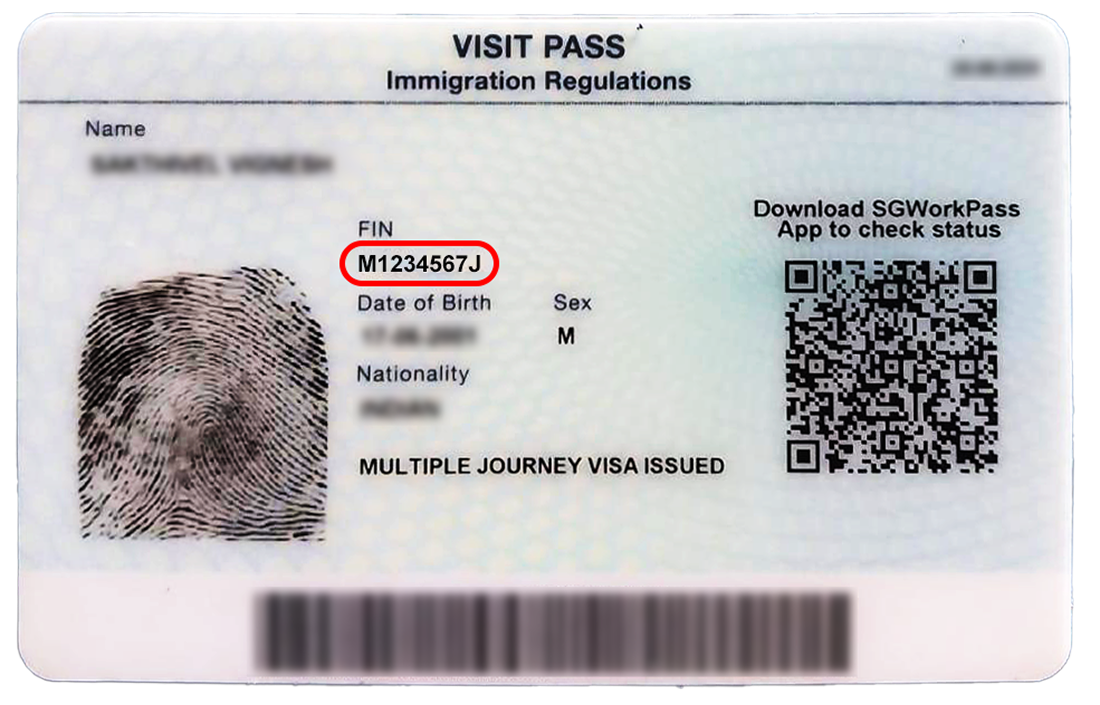
Log in using your FIN.
3
Step 3
Enter password. By default, it should be the Date of Birth in numeric format (DDMMYY).

Kindly WhatsApp us if you experience any issues with downloading or logging into the m-Plify app.
*Operating hours for WhatsApp: 9AM - 6PM
For more information visit
https://starmedmedicalcentre.com/Thank you and get well soon!